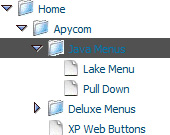
Recent Questions Flash Tree Menu In Javascript
Q: I have downloaded the trial version of your software and would like to know if it is possible to expand the submenu when clicking on the text of the menu option? As far as I can find the only way to expand the the submenu is to click on the + icon before the menu text.
+ "Menu Option"
I would like to click on the words menu option to expand the submenu
+ "Menu Option"
+ Option 1
+ Option 2
Option 3
Option 4
A: You should set the following parameter:
var texpandItemClick=1;
Q: I'm looking at purchasing your deluxe menu software.
Could you advise how to create pull down menus or if it's possible?
A: Thanks for your interest in our products.
Yes, it is possible.
You can see our menus on
http://deluxe-menu.com
http://deluxe-tree.com
Create your menu in Deluxe Tuner application.
You can create any menu as you like in Deluxe Tuner.
Please, try to download trial package once again. We added alltemplates in Deluxe Tuner Templates window.
Unfortunately, Deluxe Tuner doesn't copy all need images forVista Template into your folder. You should do it manually.
After you create your menu in Deluxe Tuner you should copy all images youneed for the menu into your folder and correct images paths.
You should set the following parameter
var pathPrefix_img="";
2. You should install the menu on your page.
You can click, for example, File/Export to HTML (you can't do it inthe MAC version).
Add several rows into your html page.
<head>
...
<!-- JavaScript Tree Menu -->
<noscript><a href="http://deluxe-menu.com">Javascript Menu by Deluxe-Menu.com</a></noscript>
<script type="text/javascript"> var dmWorkPath="deluxe-menu.files/";</script>
<script type="text/javascript" src="deluxe-menu.files/dmenu.js"></script>
<script type="text/javascript" src="data-deluxe-menu.js"></script> //data-deluxe-menu.js - data file created in Deluxe Tuner.
...
</head>
<body>
...
<table>
<tr><td><script type="text/javascript" src="deluxe-menu.files/data.js"></script></td></tr>
</table>
...
</body>
You should also copy all engine files
dmenu.js
dmenu4.js
dmenu_add.js
dmenu_dyn.js
dmenu_key.js
dmenu_cf.js
dmenu_popup.js
dmenu_ajax.js
into "deluxe-menu.files/" folder. You should place this folder in thesame folder with your index. html page.
Try that.
Q: I can't see my javascript vertical tree menu in FireFox. What I'm doing wrong?
A: You should set this parameter:
var tmenuHeight = "auto";
Now you have
var tmenuHeight = "0";
Q: How can I from javascript code change a displayed tab selection to another one in the dynamic menu tabs... lets say from first tab to the third tab?
A: This Tabs menu can save pressed item automatically within1 page only.
If you open another page, the menu can't remember presseditem.
You should do that manually using Javascript and menu parameters
( var bselectedItem and var var bselectedSmItem) or using any server-side script (php, asp, etc.)
Deluxe Tabs doesn't support API functions which can return theselected tab.
If your site is written on PHP you can set "bselectedItem" and "varbselectedSmItem" parameters
based on your link beforeyou call your data file.
For example, move "bselectedItem" and " var bselectedSmItem" parametersfrom your data file to your code.
<TD vAlign=top align=left>
/* Select Tab */
<script type="text/javascript" language="JavaScript1.2">
var bselectedItem=<?php echo $seltabs; ?>;
var bselectedSmItem=<?php echo $selsmtabs; ?>;
</script>
<SCRIPT src="data.js" type=text/javascript></SCRIPT>
</TD>
You should define seltabs and selsmtabs using server side script.
You can also set it on every page before you call data.js file, forexample:
<TD vAlign=top align=left>
/* Select Tab */
<script type="text/javascript" language="JavaScript1.2">
var bselectedItem=4;
var bselectedSmItem=3;
</script>
<SCRIPT src="data.js" type=text/javascript></SCRIPT>
</TD>
Try that.